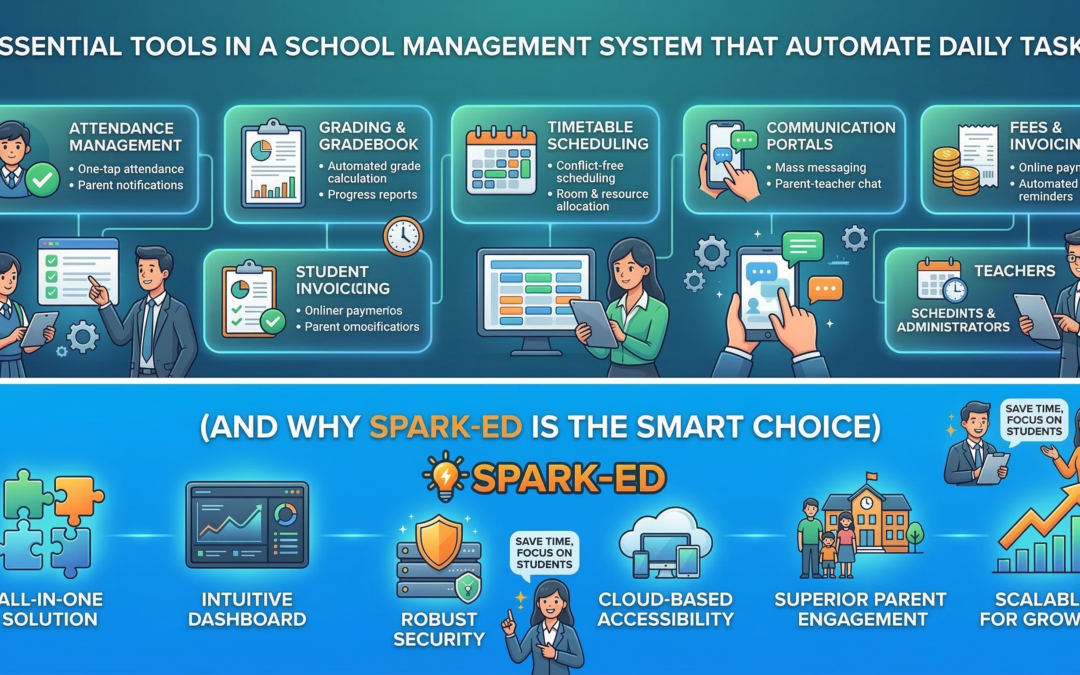
Essential Tools in a School Management System That Automate Daily Tasks (And Why Spark-ED Is the Smart Choice)
Running a school involves an almost overwhelming number of daily moving parts — attendance registers, fee collections, timetable changes, parent communications, exam results, HR records, and more. When these are handled manually or spread across disconnected tools, they become a drain on time, budget, and staff energy.
The right school management system doesn’t just digitize these tasks — it automates them. Here’s a look at the essential tools every school management system should have, what they should actually do, and why Spark-ED brings them all together in one seamless platform.
Automated Attendance Tracking
Manual attendance registers are slow, error-prone, and hard to analyze. A proper school management system should capture student and staff attendance digitally — via web portal, mobile app, or biometric integration — automatically flag chronic absenteeism, send real-time alerts to parents, and generate attendance reports without any manual effort.
When attendance is automated, teachers save time every morning, parents stay informed without having to call the school, and administrators can spot patterns before they become problems.
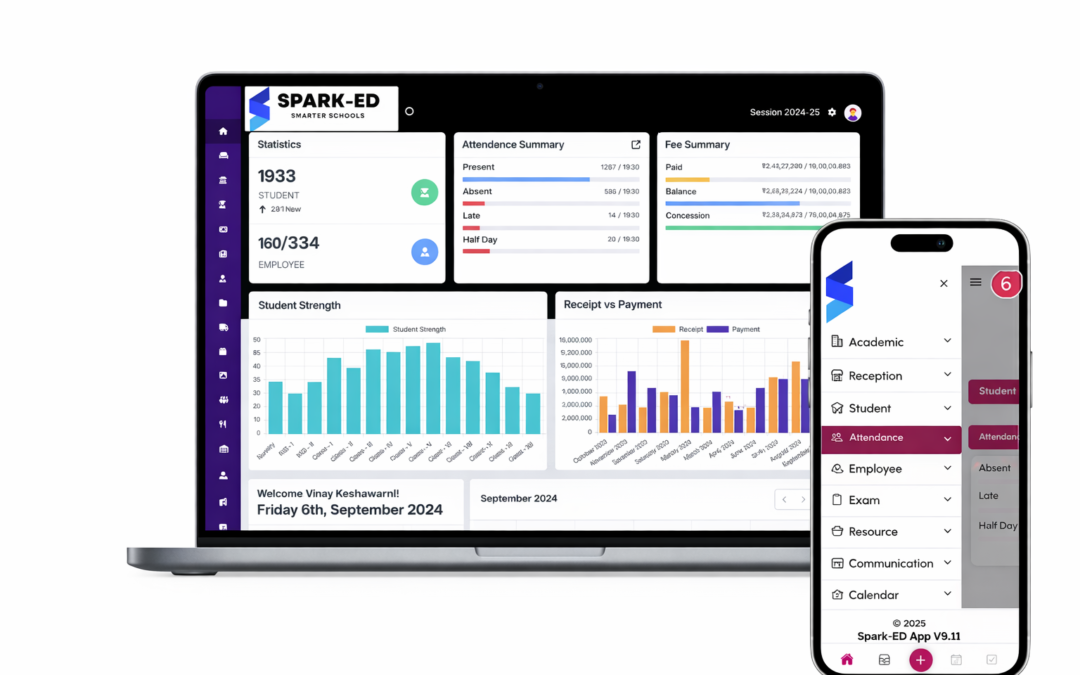
How Spark-ED handles it: Spark-ED includes a built-in digital attendance module that logs records class by class, triggers parent notifications instantly, and gives administrators a live dashboard view of school-wide attendance.
Fee Management and Automated Billing
Fee collection is one of the most time-consuming administrative functions in any school. Without automation, finance teams chase payments manually, issue receipts by hand, and spend hours reconciling records.
A good school management system should automatically generate term-based or monthly fee invoices, send payment reminders to parents via SMS or email, accept online payments and record them in real time, and produce detailed financial reports — outstanding dues, collection summaries, fee waivers — without manual input.
How Spark-ED handles it: Spark-ED’s fee management module automates the full billing cycle, from invoice generation to payment confirmation, with a parent-facing portal where families can view balances and pay directly online.
Timetable and Scheduling Automation
Building a school timetable manually — accounting for teacher availability, room capacity, subject loads, and exam periods — can take days. When something changes mid-term, it starts again.
An automated scheduling tool should generate conflict-free timetables based on constraints you define, adjust dynamically when a teacher is absent or a room is unavailable, push updated schedules to teachers, students, and parents in real time, and handle exam scheduling with its own room and invigilator logic.
How Spark-ED handles it: Spark-ED includes an intelligent timetable builder that factors in your school’s specific rules and constraints, and broadcasts any changes instantly across all connected users.
Academic and Gradebook Management
Exam results and grade tracking should never live on spreadsheets that get lost or overwritten. A school management system should give teachers a structured gradebook and automate the reporting that follows — with configurable grading schemes, automatic grade calculations based on weightage you define, instant generation of report cards and transcripts, and historical academic records accessible anytime.
How Spark-ED handles it: Spark-ED’s academic module lets teachers log assessments and marks in one place, with report cards generated automatically at the end of each term — no manual formatting required.
Parent and Student Communication Portal
Schools that rely on printed circulars, WhatsApp groups, or separate email threads for parent communication are creating unnecessary fragmentation. A dedicated communication module should enable broadcast announcements to all parents or specific classes, two-way messaging between teachers and parents, event and calendar notifications pushed automatically, and alerts tied to student events — attendance, grades, discipline — without any extra admin effort.
How Spark-ED handles it: Spark-ED includes a fully integrated parent portal and communication hub, so schools can retire the scattered group chats and keep every interaction documented and organized.
HR and Staff Management
Managing teaching and non-teaching staff involves more than just a roster. A school management system should handle employee profiles and contract records, leave requests and approvals with automatic tracking, staff attendance linked to payroll calculations, and performance records and appraisal workflows.
How Spark-ED handles it: Spark-ED’s HR module centralizes all staff records and automates leave management, so HR teams aren’t buried in paperwork and staff have visibility into their own records.
Learning Management System (LMS) Integration
Post-pandemic, the expectation that schools can deliver learning digitally is now standard — not optional. An LMS embedded in your school management system means teachers can upload lesson materials, assignments, and quizzes in one place, students access everything through a single login, assignment submissions and grading happen in the same system as the gradebook, and blended learning becomes a natural part of school operations.
How Spark-ED handles it: Spark-ED includes a native LMS, meaning your academic management and digital learning environment are not separate tools that need to be integrated — they are one.
Admissions and Enrollment Automation
Admission season is a high-pressure period for school admin teams. Without automation, it means printing application forms, chasing documents, manually updating registration status, and handling payments separately. A modern school management system should offer an online application portal, automatically move applicants through stages from inquiry to enrollment, collect fees online at the point of registration, and feed new student data directly into the student information system upon enrollment.
How Spark-ED handles it: Spark-ED’s admissions module digitizes the entire process from first inquiry to first day, reducing the administrative workload of enrollment season significantly.
Why a Disconnected Toolkit Is Costing Your School More Than You Think
Many schools piece together their operations using a combination of spreadsheets, standalone software, and free tools. It feels manageable — until it isn’t.
The real cost shows up in hours spent re-entering the same data in multiple places, errors caused by information that is out of sync, staff time spent chasing records that should be instantly accessible, parents who feel uninformed and underserved, and leadership that can’t make data-driven decisions because the data is scattered.
A single, integrated school management system eliminates all of this.
Spark-ED: All of This, in One Platform
Spark-ED by Kingslee Inc. is built specifically for schools that want to move beyond patchwork systems and run everything from one place. It covers student information management, attendance with parent notifications, fee and billing automation, timetable and scheduling, academic records and report card generation, parent and teacher communication, a built-in LMS, HR and staff management, and online admissions and enrollment.
Whether you’re a small private school or a multi-campus institution, Spark-ED scales to fit your structure — and grows with you as your school grows.
Ready to see what automation looks like for your school? Explore Spark-ED or book a free demo with the Kingslee team today.
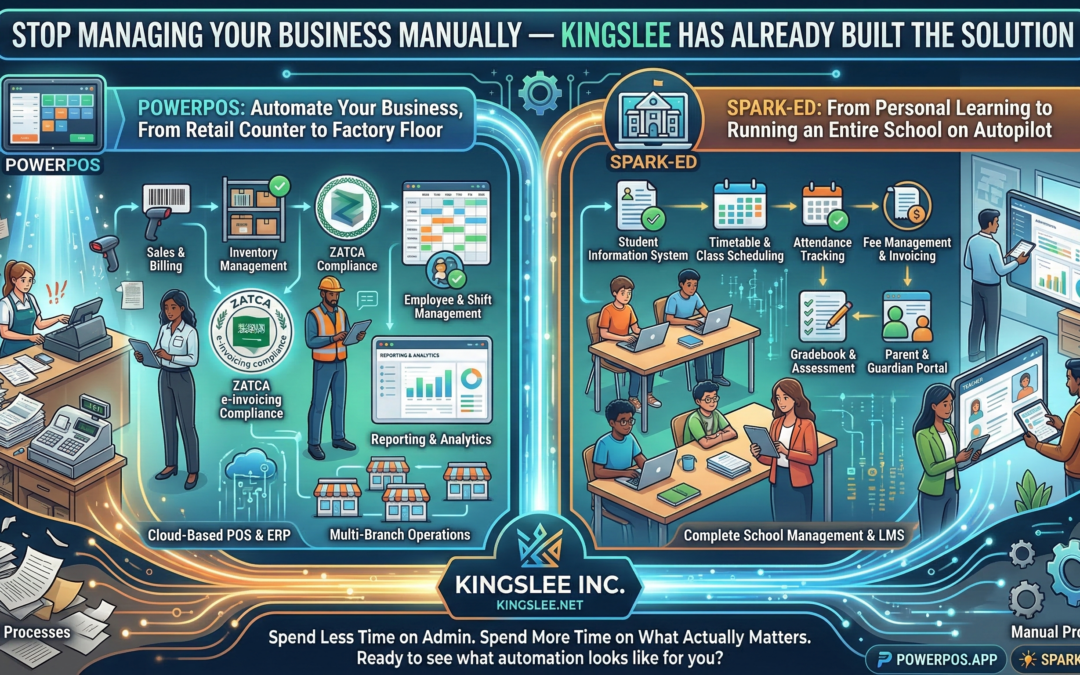
Stop Managing Your Business Manually — Kingslee Has Already Built the Solution
Whether you run a corner store, a manufacturing plant, a tutoring centre, or an entire school district, one truth remains constant: manual processes are silently draining your time, money, and growth potential. Kingslee Inc. exists to solve exactly that — with two purpose-built software platforms that automate the operations businesses and educational institutions deal with every single day.
What Is Kingslee?
Kingslee Inc. (kingslee.net) is a software company with a focused mission: eliminate operational friction for businesses and schools through intelligent, easy-to-use automation. Its two flagship products — PowerPOS and Spark-ED — cover opposite ends of the business spectrum, yet both deliver the same outcome: you spend less time on admin and more time on what actually matters.
PowerPOS: Automate Your Business, From Retail Counter to Factory Floor
If your business involves selling, tracking inventory, managing employees, or reporting to a tax authority — PowerPOS (powerpos.app) was built for you.
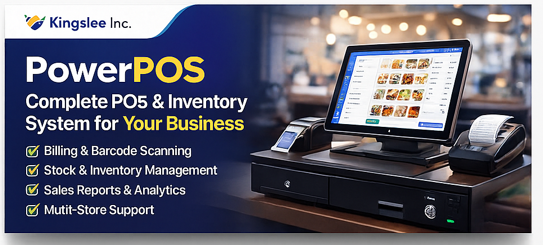
PowerPOS is a cloud-based Point of Sale and ERP system designed for businesses of all sizes. Whether you’re running a single retail outlet, a chain of restaurants, a wholesale distributor, or a production facility, PowerPOS handles the operational backbone so you don’t have to.
Here’s what it automates for you:
Sales & Billing — Process transactions in seconds, generate invoices automatically, and manage multiple payment methods without lifting a spreadsheet.
Inventory Management — Track stock in real time across multiple locations. Get low-stock alerts before you run out, and automate reorder triggers so shelves are always full.
ZATCA E-Invoicing Compliance (Saudi Arabia) — If you operate in the Kingdom, ZATCA compliance is non-negotiable. PowerPOS is built to generate fully compliant e-invoices automatically, keeping your business audit-ready without the legal headache.
Employee & Shift Management — Assign roles, track hours, and manage payroll data from one dashboard.
Reporting & Analytics — From daily sales summaries to monthly P&L breakdowns, PowerPOS generates reports that give you a clear picture of your business health — instantly, not after a week of number-crunching.
Multi-Branch Operations — Managing more than one location? PowerPOS connects them all under a unified system, so you see everything from one place.
PowerPOS is especially powerful for businesses in Saudi Arabia and the UK, where regulatory requirements around invoicing and reporting make manual compliance a serious liability. With PowerPOS, compliance becomes automatic.
If you’re still running your business on paper records, WhatsApp order confirmations, or a patchwork of disconnected tools — you’re leaving money on the table and creating risk every single day.
Spark-ED: From Personal Learning to Running an Entire School on Autopilot
Education is one of the most administratively heavy industries in the world. Attendance, timetables, grades, parent communication, fee collection, staff management, course delivery — every one of these is a daily operational challenge. Spark-ED (spark-ed.app) is built to handle all of it.
Spark-ED is a complete school management system designed for K-12 schools, higher education institutions, academies, and individual educators who want to deliver structured online learning without the technical complexity.
For individual tutors and independent educators, Spark-ED functions as a personal LMS (Learning Management System) — create courses, upload content, assign assessments, track learner progress, and communicate with students, all from one clean interface.
For schools and institutions, Spark-ED scales into a full administrative platform:
Student Information System — Maintain detailed records for every student: enrollment data, academic history, attendance, health notes, and parent contacts.
Timetable & Class Scheduling — Build complex timetables in minutes, assign teachers to classes, and automatically resolve scheduling conflicts.
Attendance Tracking — Mark and monitor attendance digitally, with instant alerts for unexplained absences sent directly to parents.
Fee Management & Invoicing — Automate fee collection, generate parent invoices, track outstanding payments, and produce financial reports without a separate accounting system.
Gradebook & Assessment — Teachers enter marks once; Spark-ED calculates averages, generates report cards, and maintains academic records automatically.
Parent & Guardian Portal — Give parents real-time access to their child’s attendance, grades, and school communications — reducing the volume of calls and emails your staff handles every day.
Staff & HR Management — From teacher contracts to substitution tracking, Spark-ED keeps your HR operations in order.
For academies and training centres, Spark-ED sits perfectly in the middle: more powerful than a basic LMS, more flexible than rigid university software, and priced for institutions that can’t afford enterprise-level complexity.
Why Kingslee Over Generic Software?
There are dozens of generic POS systems and dozens of generic school management tools on the market. Most of them are built for a hypothetical average business in a Western market, then awkwardly adapted for everywhere else.
Kingslee’s products are different. PowerPOS was built with ZATCA compliance baked in from day one — not bolted on as an afterthought. Spark-ED was designed with the operational realities of schools in growth markets, where administrative resources are lean and the software has to do more of the heavy lifting.
Both platforms are cloud-based, which means zero expensive hardware, automatic updates, and access from anywhere. Both are designed to be operational within days, not months. And both are backed by a team that actually supports you after the sale.
The Real Cost of Not Automating
Every hour your staff spends on manual data entry, chasing paper invoices, or reconciling attendance records by hand is an hour not spent on customers, students, or growth. The cost isn’t just time — it’s errors, compliance gaps, delayed decisions, and staff burnout.
Businesses and schools that automate their operations consistently outperform those that don’t. They make faster decisions because their data is current. They catch problems earlier because their systems flag them automatically. They scale more smoothly because their processes don’t depend on any one person remembering to do something.
Ready to See What Automation Actually Looks Like for Your Business or School?
Visit kingslee.net to explore both platforms, or go directly to powerpos.app for retail and business automation, or spark-ed.app for education management.
The demo is free. The time you’ll save is immediate. The question isn’t whether you can afford to automate — it’s whether you can afford not to.
There’s a line I keep hearing from developers lately, usually said with a mixture of pride and mild embarrassment: “I can’t read documentation anymore.”
Not because the docs are bad. Not because they don’t have time. But because somewhere between the rise of GitHub Copilot, ChatGPT, and a dozen other AI coding assistants, the muscle that used to sit quietly and work through a problem — page by page, error by error — has started to atrophy.
And I think we need to talk about that.
The Friction Was the Feature
For a long time, the hardest parts of learning to code were also the most valuable. Spending three hours hunting a missing semicolon taught you to read your own code with forensic precision. Trudging through Stack Overflow threads from 2011 gave you context — you understood why a pattern existed, not just that it existed. The friction was slow, frustrating, and quietly building something inside you.
Now, that friction is almost optional.
AI tools have become so capable that a developer can go from idea to working prototype in an afternoon without deeply understanding a single line of the output. That’s genuinely remarkable. It’s also, depending on who you ask, either the most exciting thing to happen to software development in a generation — or a slow-moving crisis nobody wants to acknowledge out loud.
This Isn’t a “Kids These Days” Argument
Before we go further: this is not a nostalgia post. I’m not going to tell you to learn assembly language or insist that real programmers write everything in Vim. The tools we have now are extraordinary, and refusing to use them out of some misplaced sense of purity would be like a carpenter refusing a nail gun because they started with a hammer.
The question isn’t whether to use AI tools. The question is whether we’re being intentional about what we let them replace.
There’s a difference between using a calculator because arithmetic is beneath the task at hand, and losing the ability to estimate whether an answer is roughly correct. The first is efficiency. The second is a quiet loss of something you didn’t notice leaving.
What’s Actually Changing in Developer Culture
Talk to engineering managers at mid-size companies right now and a pattern emerges. Junior developers are shipping faster than ever. Their code often looks clean, well-commented, and follows modern conventions. But ask them to debug something unfamiliar without an AI assist, or to reason through a system design problem from first principles, and there’s a hesitation that wasn’t quite there before.
Meanwhile, senior developers are reporting something different: a strange kind of cognitive offloading that feels productive in the moment but leaves them vaguely unsettled. The deep, immersive focus that used to define a good coding session — the kind where two hours vanish and you surface with a genuine understanding of what you built — is getting harder to find.
We’re optimizing for output. We may be inadvertently de-optimizing for understanding.
The Attention Economy Already Did This Once
We’ve been here before, just with different tools.
When smartphones arrived, we didn’t immediately lose our ability to concentrate. It happened gradually — one notification at a time, one scroll at a time — until one day people found themselves genuinely unable to sit with a book for twenty minutes without reaching for their phone. The capability didn’t vanish overnight. It eroded.
The concern with AI coding assistants isn’t that they’ll make developers redundant (a conversation that is frankly getting boring). It’s that they’ll make a certain mode of thinking redundant — the slow, patient, generative kind that produces not just working code but deep expertise.
So, What Do We Actually Do About It?
A few things that seem worth trying — not as rules, but as deliberate choices:
Build something without assistance, regularly. Not everything. Not forever. Just one small project a month where you sit with the discomfort of not knowing and work through it the long way. Treat it like going to the gym for a part of your brain you don’t want to lose.
Read the code the AI gives you like it’s a suspect, not a colleague. Don’t just run it — interrogate it. What does this actually do? Why this approach and not another? Could this fail? Where? This habit turns AI from an answer machine into a teaching tool.
Reintroduce documentation as a first stop, not a last resort. Official docs are written by people who understand the system at a level that a summarizing AI model may not fully replicate. There’s texture in documentation that gets compressed away. Sometimes that texture matters.
Have the honest conversation with your team. If you’re leading developers, ask openly: are we building expertise, or are we just building features? The answer can be both — but only if you’re paying attention.
The Bigger Picture
The technologies that reshape how we work always reshape how we think. Word processors changed how people compose sentences. Search engines changed how people recall information. AI assistants are changing how developers solve problems — and that process is happening faster than our culture of craft has had time to respond.
That’s not a reason for panic. It is a reason for intentional.
The developers who will be exceptional a decade from now probably won’t be the ones who refused to use AI tools, or the ones who handed everything to them. They’ll be the ones who stayed curious about the machinery underneath — who used powerful tools without letting those tools do all the thinking.
Patience, after all, is not just a virtue. In software, it’s a skill.
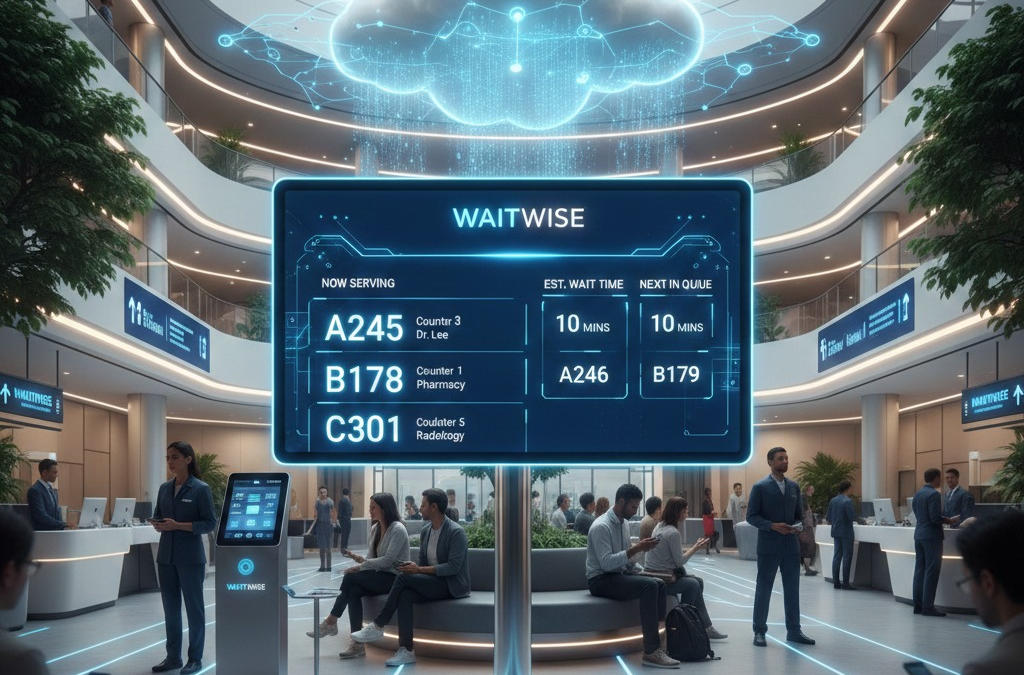
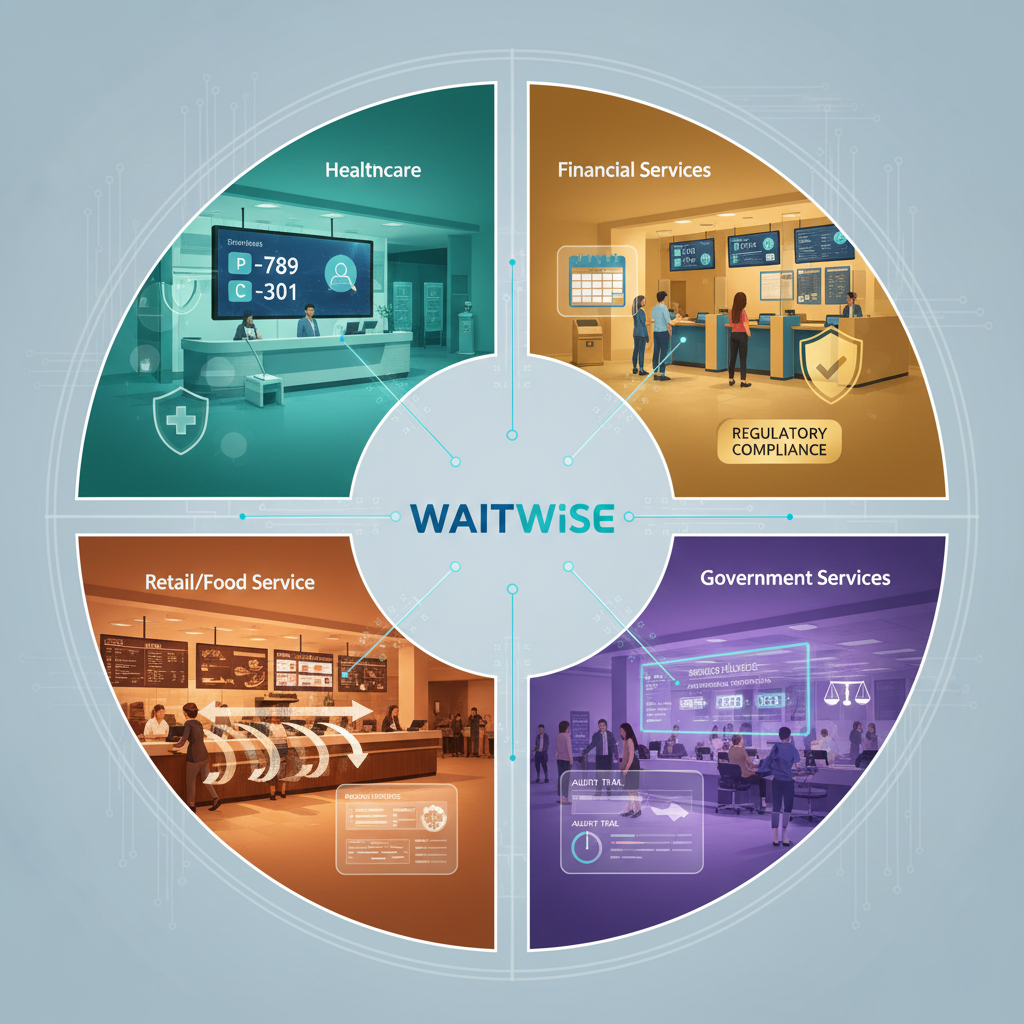
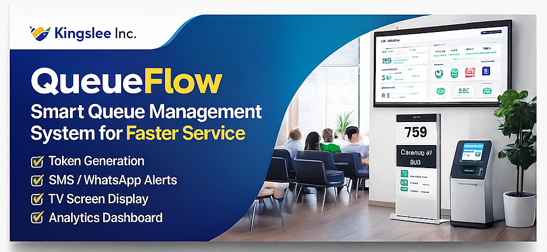
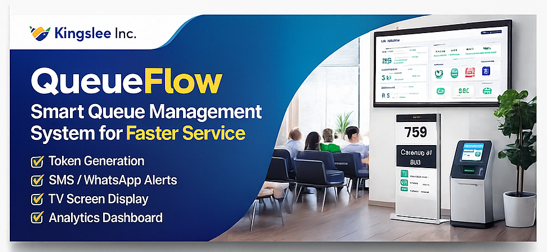
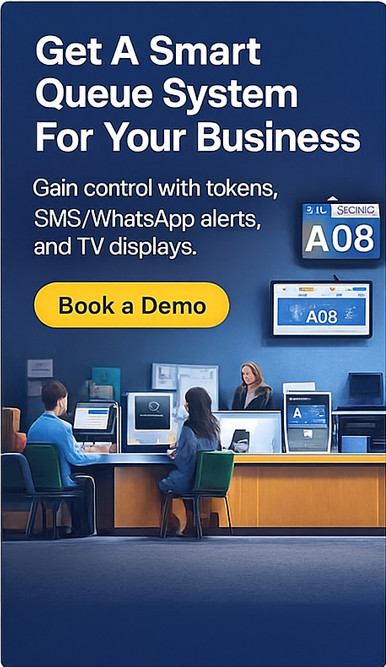
In today’s fast-paced business environment, customer experience can make or break an organization. One of the most critical touchpoints in service delivery is the waiting experience. Long queues, unclear wait times, and disorganized customer flow not only frustrate customers but also strain operational efficiency. This challenge led to the development of WAITWISE, a comprehensive cloud-based queue management system designed to transform how businesses handle customer flow across multiple industries. The Problem: Beyond Just Lines Traditional queue management systems often fall short in several key areas. Physical queue systems lack flexibility and scalability, manual token systems create bottlenecks at service points, and customers frequently experience uncertainty about wait times and service progress. Moreover, businesses struggle to gather meaningful data about service efficiency and peak hour patterns. The impact of poor queue management extends beyond customer satisfaction. Walkouts represent lost revenue opportunities, inefficient staff allocation leads to wasted resources, and the inability to scale solutions across multiple locations creates operational silos. These pain points demanded a modern, technology-driven solution. The WAITWISE Approach: Token-Based Intelligence WAITWISE implements a sophisticated token-based queuing architecture that addresses these challenges through three core components: automated token generation and management, real-time display systems, and cloud-based centralized control. Automated Token Generation At the heart of WAITWISE is an intelligent token generation system. When customers arrive, staff operators can quickly generate and print tokens through an intuitive interface. Each token is assigned a unique identifier and linked to specific service parameters including the designated service counter, relevant department, and assigned service officer. This automation eliminates manual errors and ensures consistent token issuance across all service points. The system maintains a persistent queue state, allowing it to recover gracefully from any interruptions without losing customer positions. Real-Time Information Display Customer communication is critical to managing expectations and reducing perceived wait times. WAITWISE addresses this through centralized display screens that show currently serving token numbers, designated counter assignments, assigned officer information, and estimated wait times based on historical service patterns. This transparency transforms the waiting experience. Customers can make informed decisions about their time, staff can visually monitor queue status across all counters, and managers gain immediate visibility into service bottlenecks. Cloud Architecture Benefits The decision to build WAITWISE as a cloud-native application was strategic and offers significant advantages. Cloud deployment enables access from any location with internet connectivity, eliminates the need for on-premises server infrastructure, and provides automatic scaling to handle peak loads without manual intervention. Additionally, the architecture enables seamless updates and feature rollouts without service disruption. For multi-location businesses, this architecture is transformative. A restaurant chain can monitor queue performance across all locations from a single dashboard, standardize service protocols while allowing location-specific customization, and aggregate data for enterprise-wide insights. Technical Implementation Considerations Building an effective queue management system requires careful attention to several technical domains, including real-time data synchronization, system reliability and fault tolerance, and user interface design for diverse user groups. Real-Time Synchronization Queue state must remain consistent across all system components simultaneously. This requires robust event-driven architectures where token generation, updates, and completion events propagate instantly to all connected displays and operator terminals. The system must handle concurrent operations gracefully, ensuring that two operators issuing tokens simultaneously don’t create conflicts or lost updates. WebSocket connections or similar persistent communication channels maintain live connections to display screens, while optimistic UI updates provide immediate feedback to operators while background synchronization ensures data consistency. Reliability Engineering Service interruptions in queue management systems can cause significant operational disruption. WAITWISE employs multiple reliability strategies including persistent queue state storage that survives system restarts, automatic reconnection logic for temporary network interruptions, and graceful degradation when non-critical services are unavailable. The system maintains audit logs of all queue operations, enabling troubleshooting and providing data for compliance or dispute resolution. Backup mechanisms ensure that even in edge cases, customer positions are preserved and service can continue. Interface Design for Operational Efficiency The operator interface must balance comprehensiveness with speed. Staff working in high-volume environments need to issue tokens quickly without complex workflows. The system provides keyboard shortcuts for common operations, visual confirmation of actions to prevent errors, and clear visibility into current queue state without overwhelming detail. Similarly, the public display interface prioritizes readability at a distance, uses high-contrast colors and large fonts, and updates smoothly without jarring transitions that might cause confusion. Impact Across Industries WAITWISE’S flexible architecture makes it applicable across diverse service sectors, each with unique requirements. Healthcare Facilities Hospitals and clinics manage complex patient flows across multiple departments and specialties. WAITWISE enables department-specific queues with appropriate routing, priority handling for urgent cases, and integration with electronic health record systems for streamlined check-in. Privacy considerations are paramount, using token numbers rather than patient names on public displays. Financial Services Banks and financial institutions require secure queue management with compliance considerations. WAITWISE supports service differentiation for different transaction types, integration with appointment systems for scheduled services, and reporting capabilities for regulatory requirements. Retail and Food Service High-volume retail and restaurant environments demand speed and simplicity. The system handles rapid token turnover during peak hours, supports multiple service stations operating in parallel, and provides analytics on service times to optimize staffing levels. Government Services Government offices serving citizens need fair, transparent queue management with full audit trails. WAITWISE provides equitable first-come-first-served processing, comprehensive logging for accountability, and multilingual support for diverse populations.
Operational Benefits and Metrics The value of implementing WAITWISE extends across multiple operational dimensions. Reduced Customer Walkouts Clear visibility into wait times and queue position significantly reduces abandonment rates. Customers who know they’re next in line are far more likely to wait than those uncertain about when they’ll be served. Data from implementations shows measurable reductions in walkouts during peak periods. Enhanced Staff Efficiency Automated queue management frees staff from manual queue monitoring and customer queue inquiries. Service personnel can focus entirely on service delivery rather than administrative overhead. Managers can reassign staff based on real-time queue analytics rather than intuition. Scalability Without Complexity Perhaps most significantly, WAITWISE scales seamlessly from a single location to hundreds of branches. The cloud architecture means adding new locations requires minimal infrastructure investment and technical setup. Corporate oversight and analytics work identically whether managing two locations or two hundred. Data-Driven Operations Every transaction generates data about service times, peak hours, staffing efficiency, and customer flow patterns. This analytics capability enables continuous operational improvement through evidence-based decision-making rather than assumptions. Future Directions and Extensibility Queue management systems must evolve with changing customer expectations and technological capabilities. Several enhancement opportunities exist for systems like WAITWISE. Mobile Integration Customer mobile applications can extend the waiting experience by allowing customers to join queues remotely before arriving at the location, receive notifications when their turn approaches, and view real-time queue status from their devices. This reduces physical crowding and provides customers greater control over their time. Predictive Analytics Machine learning models can analyze historical patterns to predict wait times more accurately, identify unusual patterns that might indicate operational issues, and optimize staff scheduling based on anticipated demand. Appointment System Integration Combining queue management with appointment scheduling creates a comprehensive customer flow solution. Walk-in customers can be managed alongside scheduled appointments, and no-show detection can automatically adjust queues and potentially offer time slots to waiting customers. Third-Party Integrations APIs can enable integration with customer relationship management systems, business intelligence platforms, and facility management systems, creating a comprehensive operational ecosystem. Lessons Learned in Development Building a production-ready queue management system provided several valuable insights about real-time systems, user expectations, and operational software. Real-time consistency is harder than it appears. Edge cases around network interruptions, concurrent operations, and state synchronization require careful design and extensive testing. Simplicity in operator interfaces is crucial but challenging to achieve. The temptation to add features must be balanced against the need for speed in high-volume environments. Reliability cannot be an afterthought. Users expect queue systems to work flawlessly because failures have immediate, visible operational impact. Building in redundancy and graceful degradation from the start is far easier than retrofitting it later. Finally, different industries have surprisingly different queue management needs. What works perfectly in a bank may be completely inappropriate for a restaurant. Configurable flexibility is essential. Conclusion WAITWISE represents a modern approach to a timeless challenge: managing customer flow efficiently while maintaining service quality. By leveraging cloud technology, real-time data synchronization, and user-centered design, it addresses the pain points of traditional queue management while providing the scalability and analytics capabilities that modern businesses require. The system demonstrates that even well-understood operational problems can benefit from fresh technological approaches. Queue management isn’t just about organizing lines; it’s about optimizing the entire service experience for both customers and staff. As businesses continue to prioritize customer experience and operational efficiency, solutions like WAITWISE become not just convenient but essential. For organizations struggling with long wait times, customer walkouts, or operational inefficiency across multiple locations, evaluating modern queue management solutions should be a priority. The technology exists to transform waiting from a source of frustration into a smoothly managed component of excellent service delivery.
To learn more about WAITWISE or explore how it might benefit your organization, visit waitwise.kingslee.net or contact us at info@kingslee.net.
The education sector stands at a critical juncture. While technology has revolutionized nearly every aspect of modern life, many schools still struggle with fragmented systems, paperwork overload, and disconnected communication channels. Kingslee has emerged as a catalyst for change, partnering with educational institutions to navigate their digital transformation journey through Spark-Ed, a comprehensive all-in-one school management system.
The Challenge: Schools in a Digital Age
Before implementing integrated solutions, schools typically juggle multiple platforms: one for attendance, another for grades, a third for parent communication, and yet another for financial management. This fragmentation creates inefficiencies, increases the likelihood of errors, and makes it difficult for administrators, teachers, and parents to access the information they need when they need it.
Kingslee recognized that schools required more than just another software tool. They needed a strategic partner who understood the unique challenges of educational administration and could provide a solution that genuinely simplified operations while enhancing the learning experience.
The Spark-Ed Solution: Unified, Intuitive, Comprehensive
Spark-Ed represents a paradigm shift in school management technology. Rather than forcing schools to adapt to rigid software, the platform has been designed with the actual workflows of educators and administrators in mind. The system integrates every essential function into a single, cohesive platform accessible from any device.
At its core, Spark-Ed consolidates student information management, attendance tracking, grade books, timetable scheduling, fee management, and parent-teacher communication. This integration eliminates data silos and ensures that information flows seamlessly across all school operations. When a teacher marks attendance, that data becomes immediately available to administrators and parents. When grades are entered, report cards can be generated automatically. The result is a dramatic reduction in administrative burden and a corresponding increase in time available for what truly matters: teaching and learning.
Real Impact: Schools Transformed
The results speak for themselves. Schools partnering with Kingslee have reported significant improvements across multiple metrics. Administrative staff have reclaimed hours previously lost to manual data entry and reconciliation. Teachers access real-time insights into student performance, enabling more targeted interventions and personalized instruction. Parents receive immediate updates about their children’s progress, attendance, and school activities, fostering stronger home-school partnerships.
One particularly transformative feature has been the financial management module. Schools have streamlined fee collection, automated invoicing, and generated detailed financial reports with unprecedented ease. What once required dedicated personnel working long hours can now be accomplished in a fraction of the time, with greater accuracy and transparency.
The communication capabilities have proven equally valuable. The platform enables instant messaging between teachers and parents, broadcasts important announcements to entire school communities, and maintains organized records of all interactions. This has been especially crucial during periods of remote or hybrid learning, when clear, consistent communication became more important than ever.
The Kingslee Difference: Partnership Beyond Technology
What distinguishes Kingslee’s approach is the recognition that successful digitalization requires more than just deploying software. The company provides comprehensive training to ensure that all stakeholders can use Spark-Ed effectively. Implementation specialists work closely with schools to configure the system according to their specific needs, policies, and workflows.
Ongoing support ensures that schools never feel abandoned after the initial setup. As educational requirements evolve and new challenges emerge, Kingslee continues to update and enhance Spark-Ed, incorporating feedback from the schools using it daily. This iterative approach has created a platform that genuinely serves the education community rather than forcing conformity to a one-size-fits-all solution.
Looking Forward: The Future of School Management
The digitalization journey doesn’t end with implementation. Schools working with Kingslee have discovered that Spark-Ed provides not just operational efficiency but also valuable data insights. Analytics tools help identify trends in student performance, attendance patterns, and resource utilization. These insights inform strategic decisions about curriculum development, resource allocation, and support services.
As educational institutions face mounting pressure to demonstrate outcomes, manage costs, and provide personalized learning experiences, the role of integrated management systems will only grow more critical. Kingslee’s commitment to continuous improvement ensures that Spark-Ed evolves alongside the schools it serves, incorporating emerging technologies and responding to changing educational paradigms.
Conclusion: Empowering Education Through Innovation
Kingslee’s work with schools represents more than a successful business model. It exemplifies how thoughtful technology implementation can genuinely improve an essential public service. By reducing administrative complexity, enhancing communication, and providing powerful insights, Spark-Ed enables educators to focus on their core mission: nurturing the next generation of learners.
For schools still navigating the challenges of disconnected systems and manual processes, the message is clear. Digital transformation isn’t just possible; with the right partner and the right tools, it can be straightforward, sustainable, and genuinely transformative. Through Spark-Ed, Kingslee continues to demonstrate that when technology is designed with empathy and implemented with expertise, everyone in the education ecosystem benefits.
The All-in-One Reception & Reporting System Built for Modern Schools
Every successful school has one thing in common: smooth operations behind the scenes. Yet many schools still struggle with overcrowded reception desks, scattered records, delayed reports, and hours lost to manual work.
Spark-ed was built to solve these exact problems—helping schools operate professionally, efficiently, and intelligently from the front desk to the boardroom.
Turn Your Reception into a Professional Command Center
The reception desk is the heartbeat of daily school operations. With Spark-ed, it becomes fast, organized, and fully digital.
Why Schools Love Spark-ed Reception Module
Instant Access to Student & Parent Information No more searching files or calling departments. Reception staff can view student profiles, parent contacts, class details, and enrollment status instantly.
Seamless Admissions & Inquiry Management Every inquiry is captured, tracked, and followed up digitally—ensuring higher admission conversions and zero missed opportunities.
Quick Fee & Payment Visibility Reception staff can instantly check fee status, pending payments, and receipts—answering parent questions confidently and accurately.
Visitor & Appointment Tracking Manage visitors, appointments, and meetings securely while maintaining proper logs for safety and compliance.
Faster Service, Happier Parents Shorter waiting times, fewer errors, and a more professional experience—parents notice the difference from day one.
Make Better Decisions with Powerful, One-Click Reports
Data is only valuable when it’s clear and actionable. Spark-ed’s reporting module transforms raw school data into insights you can rely on.
Reporting That Works for Management, Not Against Them
Academic Performance at a Glance Generate attendance reports, exam results, progress summaries, and class-wise performance in seconds.
Complete Administrative Visibility Track admissions, withdrawals, staff attendance, fee collection, outstanding dues, and operational performance—all in real time.
Custom Reports, Ready When You Need Them Filter by class, section, date, or academic year and export reports instantly for meetings, audits, or inspections.
Accuracy You Can Trust Automated reporting eliminates manual errors and ensures everyone works with the same reliable data.
Spark-ed brings reception and reporting together in a single, easy-to-use platform—eliminating silos and confusion.
The Real Results Schools Experience
✔ Faster reception operations
✔ Reduced administrative workload
✔ Improved parent satisfaction
✔ Better financial visibility
✔ Data-driven leadership decisions
✔ A more professional school image
Why Schools Are Switching to Spark-ed
Spark-ed isn’t just software—it’s an operational upgrade for your entire school. Whether you’re managing a single campus or planning to scale, Spark-ed grows with you.
Designed specifically for schools
Easy onboarding and training
Secure, reliable, and scalable
Lifetime license option available
Ready to Upgrade Your School Operations?
Stop managing your school the hard way. Start running it the smart way with Spark-ed.
👉 Book a demo today and see how Spark-ed can transform your reception, reporting, and overall school operations.
Streamline Your School’s Administration with Next-Gen Management Tools
Paperwork and scheduling still consume too much of your day. You need administrative solutions for schools that actually reduce your workload. Kingslee Inc.’s school management software offers next-gen management tools designed to streamline school administration, improve communication, and cut down on repetitive tasks. Keep reading to see how these features can reshape your daily operations and free up your time.
Modernizing School Administration
The way schools manage daily tasks is evolving. Embracing modern tools can make a big difference in how effectively a school operates.
Benefits of School Management Software
School management software offers a range of benefits that can significantly reduce your workload. It helps you organize tasks, monitor progress, and keep everything in one place. With school management software, you’ll find that many repetitive tasks become easier to handle.
Imagine having a tool that lets you track student attendance, manage grades, and communicate with parents seamlessly. This software makes it possible. By using it, you save time and ensure that all data is accurate and easily accessible. You’ll notice improved efficiency almost immediately, which gives you more time to focus on other important tasks.
Enhancing Communication with ERP
ERP systems are not just about data management. They’re about connecting people in meaningful ways. In a school setting, communication is key. With an educational ERP, you can easily share important updates with teachers, students, and parents.
Think of it as a central hub where everyone stays informed. Whether it’s a change in the schedule or a new policy update, reaching out becomes straightforward. This leads to a more connected community, where everyone knows what’s going on. The ease of communication also reduces misunderstandings and keeps everyone on the same page.
Automating Administrative Tasks
Imagine reducing the time spent on paperwork by automating many of your daily tasks. With the right tools, this is entirely possible. Automation takes repetitive tasks off your hands, freeing you to focus on more critical duties.
For instance, generating reports can be a time-consuming process. With automation, reports are created effortlessly, ensuring they are always accurate and up-to-date. This not only saves time but also minimizes errors, leading to smoother operations across the board.
Choosing the Right Tools
Selecting the right tools for your school can seem overwhelming. Yet, with the right guidance, you can identify what suits your needs best.
Evaluating Next-Gen Management Tools
Before choosing a tool, it’s essential to evaluate what you need. Consider the specific areas where your school struggles. Is it communication, scheduling, or data management? Once you identify these, selecting tools that address these issues becomes easier.
Look for tools that offer flexibility and ease of use. They should be simple enough for everyone to use without extensive training but powerful enough to handle complex tasks. This balance ensures that your investment in technology brings tangible benefits.
Kingslee Inc.’s Comprehensive Solution
Kingslee Inc. offers solutions tailored to educational needs. Their software is designed with schools in mind, focusing on improving operational efficiency. With Kingslee’s tools, you get more than just software; you receive a partner in streamlining your processes.
Their solutions are user-friendly and adaptable, making them ideal for schools of all sizes. By choosing Kingslee, you align with a company known for reliability and cutting-edge technology. This commitment ensures that your school remains ahead in managing its operations effectively.
Key Features of Educational ERP
Educational ERP systems offer specific features that stand out. They include automated scheduling, robust reporting, and efficient communication channels. These features make managing a school simpler and more effective.
For example, automated scheduling allows you to handle changes without chaos. With a few clicks, updates are communicated to everyone involved. Reporting tools provide insights into student performance and attendance, enabling better decision-making. These capabilities are why educational ERP is essential for modern schools.
Moving Forward with Confidence
With the right tools, you can confidently improve how your school operates. Streamlining tasks means more time for important matters.
Streamlining School Administration
Efficient administration is achievable with the right approach. By streamlining processes, you not only save time but also improve the overall school environment. This leads to better outcomes for both students and staff.
Effective streamlining involves identifying bottlenecks and applying solutions that address them directly. This might mean altering how tasks are assigned or using technology to automate processes. The result is a smoother, more efficient day-to-day operation.
Effective Administrative Solutions for Schools
Schools require solutions that are both practical and impactful. By utilizing tools designed for educational environments, you ensure that your school runs smoothly.
These tools offer a way to handle daily tasks without the usual hassle. From managing student data to handling teacher schedules, everything becomes more manageable. This not only reduces stress for administrators but also creates a more organized learning environment.
Taking the Next Steps with Kingslee Inc.
It’s time to consider the next steps in enhancing your school’s administration. Kingslee Inc.’s solutions provide the support you need to move forward with confidence. They are designed to meet the challenges you face, offering tools that simplify and improve daily operations.
By adopting Kingslee’s innovative tools, you set the stage for a more efficient and connected school environment. This move not only benefits you but also elevates the entire community, leading to a better educational experience for everyone involved.
Data Security Essentials for Modern Businesses: Protecting What Matters
Most businesses underestimate how fast data threats can disrupt operations. You might think your current setup guards your business data well, but attackers find new ways every day. This post outlines key data security steps and how Kingslee Inc.’s AI-driven security tools offer reliable protection against breaches and costly downtime. For more information on data security essentials, check out this guide.
Understanding Data Security
Data security is a critical concern for any business today. Protecting your information ensures smooth operations and builds customer trust.
Importance of Business Data Protection
Your business data is like the heart of your company. Keeping it safe means your operations and customer relationships remain strong. Imagine losing vital customer details or financial records. It could halt your business. Protecting this information isn’t just smart—it’s essential. According to Cyber Defense Magazine, every growing business should prioritize this because the loss can be devastating.
Companies that safeguard their data often see better customer trust and smoother operations. It’s not just about avoiding loss; it’s about ensuring reliability. Good data security practices can protect you from threats, saving time and money.
Common Cybersecurity Threats
Cyber threats are more common than you might think. They include malware, phishing, and ransomware. Each can cause significant harm to your business. Malware can destroy files, phishing might trick you into giving away sensitive info, and ransomware holds your data hostage. This is just the tip of the iceberg.
Understanding these threats helps you defend against them. Businesses should always stay informed about the latest risks. For more insights on cybersecurity best practices, check out this comprehensive resource from CISA.
Kingslee Inc.’s Security Solutions
In light of these threats, Kingslee Inc. offers solutions that tackle these challenges head-on, ensuring peace of mind and operational continuity.
AI-Driven Security Features
Kingslee Inc. uses advanced AI to keep your data secure. These tools constantly monitor for threats and adapt to new challenges. Imagine having a vigilant guard who never sleeps. This system learns from each attack, improving defenses over time. It’s like having a security team that gets smarter every day.
By using Kingslee Inc.’s AI-driven security, businesses can prevent unauthorized access and data breaches. This smart technology provides proactive protection, so you can focus on growing your business without worrying about security gaps.
Data Breach Prevention Techniques
Preventing data breaches requires a proactive approach. Kingslee Inc.’s tools help identify weak points before they become a problem. Regular updates and patches keep systems secure. This is crucial because cyber threats evolve rapidly.
By using these techniques, businesses can protect their sensitive information more effectively. With Kingslee Inc., you’re not just responding to threats—you’re staying one step ahead. For more on how to implement effective security practices, visit Business.com.
Implementing Secure Software Solutions
Secure software solutions not only protect data but also enhance business performance across various sectors.
Benefits for Retail and Property Management
Retail and property management sectors face unique challenges. Secure software can streamline operations, from managing inventory to handling tenant information. Kingslee Inc.’s solutions ensure that your data remains secure while boosting efficiency.
For retailers, secure systems mean faster transactions and happier customers. Property managers benefit from easy access to tenant details and maintenance records. With Kingslee Inc., you can manage all this with confidence.
Enhancing Security in Education Sector
Schools and universities handle a vast amount of sensitive data. Protecting this information is crucial to maintain trust and compliance. Kingslee Inc. offers tailored solutions for educational institutions, ensuring data security without disrupting daily operations.
These tools help in managing student records, communication, and administrative tasks securely. By implementing Kingslee’s solutions, educational institutions can focus on what matters—delivering quality education.
For further exploration of essential data security practices, explore this resource.
In summary, implementing robust security measures, like those offered by Kingslee Inc., not only protects your data but enhances overall business efficiency. Consider integrating these solutions to safeguard your operations and ensure a secure future.
Unlocking AI: Transforming Business Operations with Innovative Software
Most business tools promise smooth operations but leave you juggling multiple systems. That’s why AI-driven software from Kingslee Inc. changes everything. It simplifies tasks, boosts operational efficiency, and supports growth across industries like education and property management. Keep reading to see how this innovative technology can reshape your day-to-day work. For more insights, explore this resource.
AI-Driven Software Solutions
Imagine a world where business operations happen effortlessly. AI-driven software solutions make this possible by automating complex tasks and providing real-time insights. These tools can transform the way you manage your business.
Streamlining Business Operations
Every business seeks to simplify its operations. AI software does just that, offering solutions that automate repetitive tasks and free up valuable time. For instance, instead of manually tracking inventory, AI systems can automatically update stock levels, ensuring accuracy and saving hours of work. Moreover, integrating AI into your workflow can reduce errors significantly. Whether it’s data entry or scheduling, AI takes the burden off your shoulders, allowing you to focus on what truly matters.
Improving Efficiency with Technology
Who doesn’t want to get more done in less time? AI-driven technology helps you achieve higher productivity levels by cutting down on wasted effort. Think about it: AI can analyze large datasets faster than any human, providing actionable insights instantly. By implementing these tools, you not only speed up decision-making but also improve overall output. As businesses increasingly turn to AI, it becomes clear that embracing this tech is no longer optional—it’s crucial for staying competitive.
Empowering Growth Through AI
Growth is the ultimate goal. AI supports expansion by offering tools that adapt to your evolving needs. Let’s take customer service as an example. Chatbots powered by AI provide quick responses, enhancing customer satisfaction and fostering loyalty. Besides, AI solutions can predict market trends, helping you make informed strategic decisions. As you embrace these tools, your business is positioned to not just survive but thrive in today’s rapidly changing environment.
Industry-Specific Software Applications
AI is not one-size-fits-all. It offers tailored solutions for different industries, ensuring that each sector gets the most out of the technology.
Property Management Software Benefits
Managing properties can be demanding. AI-driven software simplifies it by automating tasks like rent collection and maintenance scheduling. Picture this: instead of juggling multiple spreadsheets, you have an integrated system updating everything for you. With AI tools, you can track tenant communication, ensuring nothing slips through the cracks. This system doesn’t just save time; it makes your job easier, leading to happier tenants and fewer stress headaches.
School Management Systems Advantages
Schools face unique challenges in managing administrative tasks and communication. AI software streamlines these processes by centralizing data and automating routine functions. Imagine a scenario where parents and teachers communicate seamlessly, and student progress is tracked effortlessly. AI-driven school management systems enable such experiences, making education more efficient and engaging for everyone involved.
Advanced POS Solutions for Retail
Retail businesses need efficient transaction systems. AI-driven POS solutions provide that efficiency by managing inventory, tracking sales, and optimizing checkout processes. These systems not only speed up transactions but also offer insights into customer preferences, allowing you to tailor your offerings. With AI-powered POS, you gain a competitive edge, ensuring customers leave your store satisfied and eager to return.
Partnering with Kingslee Inc.
Choosing the right partner in your AI journey is crucial. Kingslee Inc. stands out due to its expertise and unwavering support in implementing AI solutions.
Expertise in AI Technology
Kingslee Inc. boasts unmatched expertise in AI technology. With a team dedicated to innovation, they provide solutions that are ahead of the curve. Their deep understanding of AI means you get cutting-edge software tailored to your needs. By partnering with Kingslee, you’re not just adopting technology; you’re embracing a future-proof strategy.
Comprehensive Support and Consultation
Support is key to successful AI implementation. Kingslee Inc. offers comprehensive consultation services, ensuring you understand every aspect of your new tools. Their team is with you every step of the way, from initial setup to ongoing maintenance. This commitment to customer service ensures that your transition to AI is smooth and effective, with expert guidance whenever you need it.
Tailored Solutions for Your Business
No two businesses are the same. Kingslee Inc. recognizes this and offers tailored solutions that address your unique challenges. Whether you’re in education, property management, or retail, their software is designed to meet your specific needs. By focusing on what makes your business unique, Kingslee Inc. ensures that you get the most out of their AI-driven tools, positioning you for success in an ever-evolving market.
In conclusion, AI-driven software from Kingslee Inc. is not just about technology. It’s about empowering you to streamline operations, enhance efficiency, and drive growth. By adopting these solutions, you’re not only improving your business today but also preparing for the challenges of tomorrow.
Critical React Vulnerability (CVE-2025-55182): How “React2Shell” Shook the Web — And How to Protect Your Applications
Published by Kingslee Inc. — Futuristic Software, Secure by Design
A newly discovered vulnerability in the React ecosystem — CVE-2025-55182, widely known as “React2Shell” — has triggered one of the most serious security alerts in modern web development. With millions of apps across the world depending on React, Next.js, and React Server Components (RSC), this flaw has exposed a huge attack surface across startups, enterprises, government platforms, and cloud providers.
As a company building advanced, secure software solutions, Kingslee believes in helping the global developer community stay protected. This article explains what the vulnerability is, why it matters, how to fix it, and how to check if your systems were targeted.
What Exactly Is CVE-2025-55182?
At the heart of the issue lies a flaw in React Server Components (RSC) — specifically in how the RSC protocol (“Flight protocol”) deserializes data sent to Server Functions.
The problem? React trusted incoming data too much. Attackers can send maliciously crafted payloads that trigger remote code execution (RCE) on the server — without authentication.
This means a hacker anywhere in the world can:
Execute commands on your server
Inject malicious JavaScript
Steal environment variables
Deploy malware or cryptominers
Use your server as a pivot into your cloud infrastructure
This is why security researchers are calling it a “worst-case scenario vulnerability.”
Who Is Impacted?
The vulnerability affects any system running:
React 19.x
react-server-dom-webpack
react-server-dom-parcel
react-server-dom-turbopack
Frameworks using React Server Components, including:
Next.js App Router
React Router RSC preview
Waku
Parcel & Vite RSC integrations
RedwoodJS RSC layer
Even if your app does not actively use Server Functions, the vulnerability may still exist if the library is installed as a dependency.
Why This Vulnerability Is So Dangerous
This is not a typical front-end bug. This is server-level control, and therefore:
No login required
Easily automated
Can be exploited at scale
Affects default Next.js installations
Already seen in early mass-scanning attempts
React + Next.js represent the backbone of modern web apps. That means millions of servers worldwide may be exposed.
How To Fix It — Immediate Actions
1. Update React & Related Packages
Install patched versions:
npm install react@latest react-dom@latest
npm install react-server-dom-webpack@latest
Or simply:
npm update
For Next.js, upgrade to the patched release (e.g., 15.5.x or above).
2. Lock Dependencies
Check your lockfile:
package-lock.json
yarn.lock
pnpm-lock.yaml
Ensure NO dependency is still pulling in a vulnerable version.
3. Redeploy Your Build
A clean rebuild ensures no lingering malicious code sits in your compiled output.
How To Check If Your App Was Targeted (Damage Control)
1. Review Server Logs
Look for suspicious POST requests to routes handling:
/react
/rsc
_flight
_server
Malicious payloads often contain unusual binary or encoded data.
2. Look For Unexpected Processes
Common post-exploit signs:
Node processes consuming high CPU
Unknown shell scripts
Crypto-mining tools
Scripts creating new admin users
3. Audit Environment Variables
Since attackers could access server-side execution, consider rotating:
API keys
Database credentials
Cloud provider tokens
JWT secrets
Encryption keys
4. Scan for File Modifications
Check /tmp, /var, or your app directory for unfamiliar files.
5. Enable WAF or IDS Protections
Cloudflare, AWS, Google Cloud, and others have already released temporary rules to block attack signatures.
Kingslee’s Recommendation for Long-Term Protection
Continuous dependency monitoring
Runtime protection (WAF, IDS, EDR)
Zero-trust API architectures
CSP & strict server boundaries
Security-first CI/CD pipelines
Regular penetration testing
Modern attacks are automated. Your defense must be automated too.
Final Thoughts
CVE-2025-55182 is a reminder that even the strongest open-source ecosystems can face critical failures. What matters is how quickly teams respond.
If your project uses React, Next.js, or any RSC-enabled framework, do not delay:
Patch
Review logs
Rotate secrets
Harden your development cycle
Security is not a feature — it is a responsibility. And at Kingslee Inc., we remain committed to building futuristic, AI-powered, secure-by-default software that protects businesses, schools, and enterprises worldwide.